
Try GoLove AI Series if you want to watch a short drama and then find its cast in the same app. In our guest test, the first two episodes of My AI Girlfriend started playing. Selecting episode 3 opened a sign-in prompt. Sample the open episodes and check the next step for the show you want to finish before paying for anything.
Find the show inside Series
The official link in the button above opened Explore in our desktop Chrome session on November 19, 2026. We selected Series from the navigation and searched for My AI Girlfriend. The promoted cards could still appear elsewhere on the page, so we used the matching title in the search results. Its detail popup listed seven episodes with numbered rows and episode names.
That sequence is useful on a site with several kinds of AI media. Explore leads into character discovery, while Series groups videos as shows with episode lists. If you already have a title, go straight to the Series search field, which also accepts character, genre and story terms. If you are browsing, try Trending and use the count on the card to gauge how much story is listed. Then open the episode list to see what you can actually access. Series catalog · Trending
Two episodes started in the guest player
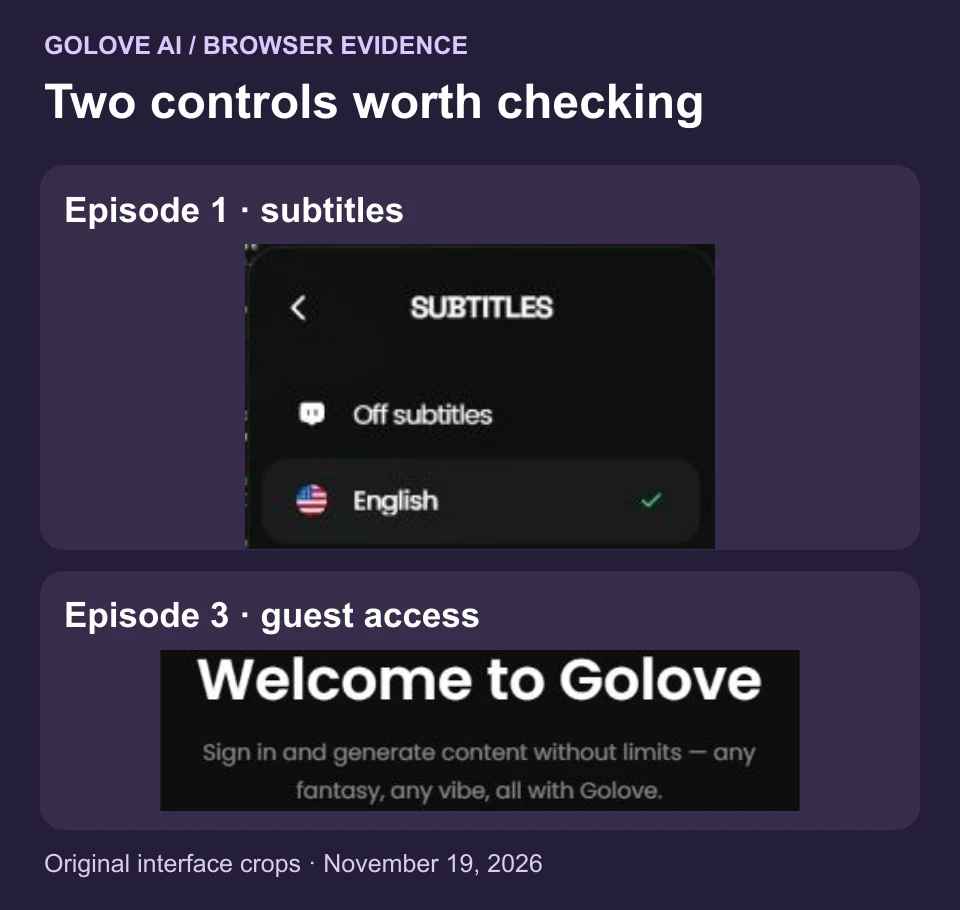
We used the same show to check three consecutive rows without signing in or buying credits. The player reported about 1:41 for episode 1, The Black Box. Its clock advanced about ten seconds after we pressed Play. Episode 2, Five Minutes With Her, reported about 2:31 and advanced about six seconds once we selected and played it. Selecting episode 3 opened a Welcome to Golove sign-in prompt. Rows 4–7 were listed and remained untested.
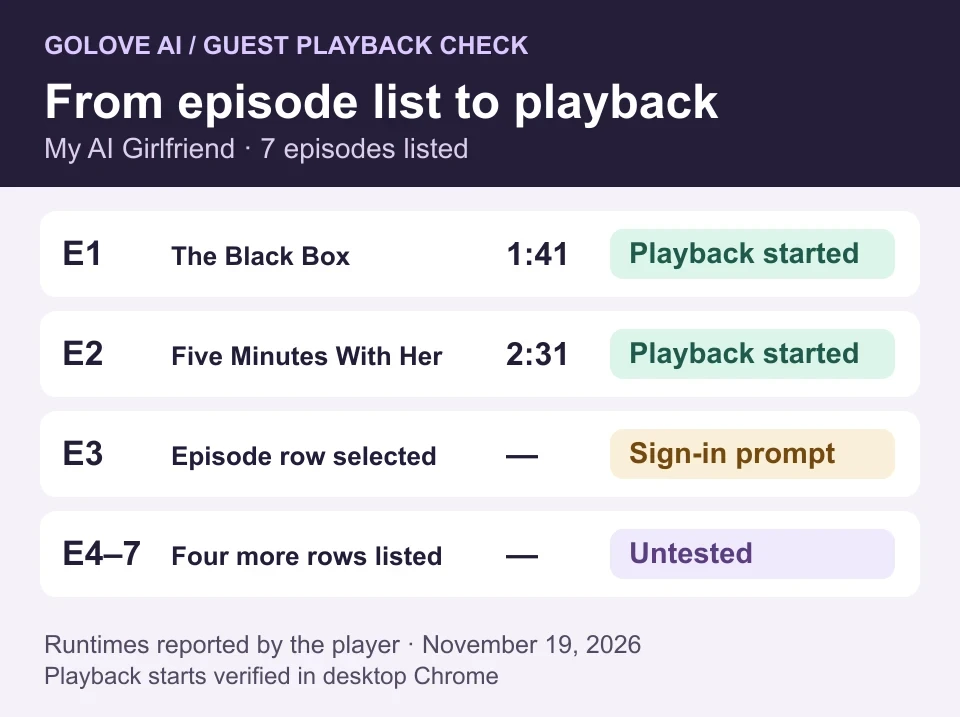
Together, the two opening episodes had about four minutes and twelve seconds of reported runtime. The second was roughly fifty seconds longer than the first, so a count of two episodes gives little sense of viewing time by itself. For a quick trial, check the player clock and sample each opener. Look for dialogue you can follow, a clear transition into the next episode and a story you actually want to finish. We observed playback starting; full-episode viewing, resume behavior and playback on other devices remain unverified.
We repeated the title search and first-episode check with The Only Mortal in Heaven. Its popup listed nine episodes, and its first episode reported 1:50 and started playing in the same guest session. We checked only its first episode. The second title confirms the search-to-play path works beyond the featured example and gives you another opener to sample.
Check subtitle options on the episode itself
In episode 1, we opened Settings → Subtitles. English was selected when we opened the menu. We chose Off from the available options, and the settings row changed to Subtitles Off. If subtitles matter to you, open that menu on the episode you intend to watch and sample a short stretch of dialogue in your language. We did not evaluate the translations, subtitle timing or language availability across the catalog.
Work out what the next episode requires
For My AI Girlfriend, seven was the number of episodes listed. Two were the number we verified could start playing as a guest. The third row took us to sign-in before showing any episode price. A Join Free button was also visible. That left the viewing requirements after sign-in unresolved in this session.
If you want to continue, check what GoLove asks for on that specific episode. Find out whether signing in suffices, whether a plan is required and whether the episode also shows its own credit cost. If a purchase screen appears, read the total due now, the renewal terms and the entitlement listed for the show. GoLove’s general terms distinguish recurring subscriptions from explicitly one-time purchases. They also describe unused credits expiring at the end of the billing period after cancellation. The terms give no Series-specific price schedule. Terms of service
Follow the cast or look for a separate creation tool
The show view displayed a cast entry and Start Chatting, alongside separate Create Video and Create Image actions. This setup makes it easy to see where you would go after watching if you wanted to look up a character. We inspected the controls without testing their destinations or sending a message. Chat access, pricing and whether a chat draws on events from the show remain separate questions.
For a creator evaluating a micro-drama workflow, the key checks are whether you can arrange several clips into episodes, reuse a character across them and export the finished sequence. The controls we saw establish entry points for images and clips. Our test provides no evidence of timeline editing, an episode builder or export rights. GoLove’s terms describe a personal-use license for viewing the platform and its content. Check the applicable rights before reusing a show clip. Terms of service
Start with the title you actually want to watch. Search for it in Series, sample an opener with your preferred subtitle setting, then select the next episode you care about. The player and any access prompt answer more about that show than the episode badge or a homepage promotion.